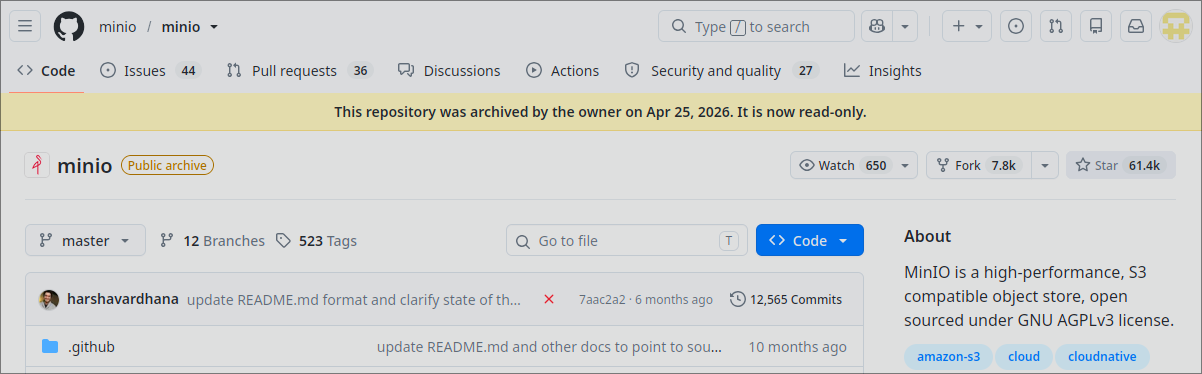
After 11 years of development, MinIO has decided to move away from open source community, archiving it’s public Github repository.
So, let’s try Garage from DeuxFleurs, an S3-compatible distributed object storage service designed for self-hosting at a small-to-medium scale.

DeuxFleurs is a non profit association, founded un 2020, with the goal of building tools for a decentralized Internet.

Running with Docker Compose
For now, let’s stay on a single node, and add it to the docker compose stack.
Create ZFS Volumes
data0/srv/garage                 2.18M  36.6T   179K  /srv/garage
data0/srv/garage/config           275K  36.6T   173K  /srv/garage/config
data0/srv/garage/data             268K  36.6T   166K  /srv/garage/data
data0/srv/garage/meta            1.39M  36.6T   371K  /srv/garage/meta
Add the services on the Docker Compose stack
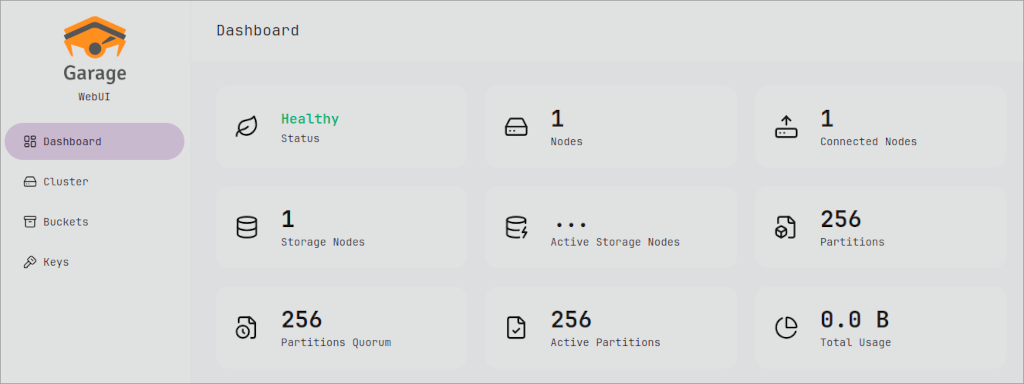
Garage use only one service, using a minimalist Docker image. But let’s add a web interface.
The host ZFS volumes are mounted on /var/lib/garage.
services:
  garage:
    image: docker.io/dxflrs/garage:v2.3.0
    restart: unless-stopped
    ports:
      - "192.168.1.100:3900:3900" # API S3 standard
      - "192.168.1.100:3901:3901" # Communication RPC inter-nœuds
      - "192.168.1.100:3902:3902" # Hébergement web statique optionnel
      - "192.168.1.100:3903:3903" # API d'administration
    volumes:
      - /srv/garage/config/garage.toml:/etc/garage.toml:ro
      - /srv/garage/data:/var/lib/garage/data
      - /srv/garage/meta:/var/lib/garage/meta

  garage-webui:
    image: docker.io/khairul169/garage-webui:latest
    restart: unless-stopped
    ports:
      - "192.168.1.100:3909:3909"
    volumes:
      - /srv/garage/config/garage.toml:/etc/garage.toml:ro
    environment:
      - API_BASE_URL=http://garage:3903
      - S3_ENDPOINT_URL=http://garage:3900
    depends_on:
      - garage
Garage config file
Here is the base config file that will be mapped within the container.
/srv/garage/config/garage.toml:
metadata_dir = "/var/lib/garage/meta"
data_dir = "/var/lib/garage/data"
db_engine = "sqlite"

replication_factor = 1

rpc_secret = "$(openssl rand -hex 32 )"
rpc_bind_addr = "[::]:3901"
rpc_public_addr = "127.0.0.1:3901"

[s3_api]
api_bind_addr = "0.0.0.0:3900"
s3_region = "garage"

[s3_web]
bind_addr = "[::]:3902"
root_domain = ".s3.domain.com"
index = "index.html"

[admin]
api_bind_addr = "0.0.0.0:3903"
admin_token = "$(openssl rand -hex 32 )"
metrics_token = "$(openssl rand -hex 32 )"
Initialize the node
Get the node status
The the node id with the status command
$ docker compose exec -ti garage /garage status
2026-08-28T16:31:21.045426Z  INFO garage_net::netapp: Connected to 127.0.0.1:3901, negotiating handshake...
2026-08-28T16:31:21.087424Z  INFO garage_net::netapp: Connection established to 9a343b4a5c27bf25
==== HEALTHY NODES ====
ID                Hostname      Address         Tags  Zone  Capacity          DataAvail  Version
9a343b4a5c27bf25  050717caa1bc  127.0.0.1:3901              NO ROLE ASSIGNED             v2.3.0
Assign the node to a new layout
Assign the node to the layout using the node id obtained in the previous command
$ docker compose exec -ti garage /garage layout assign --capacity 512Gb --zone home 9a343b4a5c27bf25
2026-08-28T16:33:33.446834Z  INFO garage_net::netapp: Connected to 127.0.0.1:3901, negotiating handshake...
2026-08-28T16:33:33.495609Z  INFO garage_net::netapp: Connection established to 9a343b4a5c27bf25
Role changes are staged but not yet committed.
Use `garage layout show` to view staged role changes,
and `garage layout apply` to enact staged changes.
Show the staged change
$ docker compose exec -ti garage /garage layout show
2026-08-28T16:34:00.611320Z  INFO garage_net::netapp: Connected to 127.0.0.1:3901, negotiating handshake...
2026-08-28T16:34:00.659805Z  INFO garage_net::netapp: Connection established to 9a343b4a5c27bf25
==== CURRENT CLUSTER LAYOUT ====
No nodes currently have a role in the cluster.
See `garage status` to view available nodes.

Current cluster layout version: 0

==== STAGED ROLE CHANGES ====
ID                Tags  Zone  Capacity
9a343b4a5c27bf25  []    home  476.8 GiB


==== NEW CLUSTER LAYOUT AFTER APPLYING CHANGES ====
ID                Tags  Zone  Capacity   Usable capacity
9a343b4a5c27bf25  []    home  476.8 GiB  476.8 GiB (100.0%)

Zone redundancy: maximum

==== COMPUTATION OF A NEW PARTITION ASSIGNATION ====

Partitions are replicated 1 times on at least 1 distinct zones.

Optimal partition size:                     1.9 GiB
Usable capacity / total cluster capacity:   476.8 GiB / 476.8 GiB (100.0 %)
Effective capacity (replication factor 1):  476.8 GiB

home                Tags  Partitions        Capacity   Usable capacity
  9a343b4a5c27bf25  []    256 (256 new)     476.8 GiB  476.8 GiB (100.0%)
  TOTAL                   256 (256 unique)  476.8 GiB  476.8 GiB (100.0%)


To enact the staged role changes, type:

    garage layout apply --version 1

You can also revert all proposed changes with: garage layout revert
Apply the new layout
You must specify the version, as displayed in the previous command.
$ docker compose exec -ti garage /garage layout apply --version 1
2026-08-28T16:35:09.577217Z  INFO garage_net::netapp: Connected to 127.0.0.1:3901, negotiating handshake...
2026-08-28T16:35:09.619295Z  INFO garage_net::netapp: Connection established to 9a343b4a5c27bf25
==== COMPUTATION OF A NEW PARTITION ASSIGNATION ====

Partitions are replicated 1 times on at least 1 distinct zones.

Optimal partition size:                     1.9 GiB
Usable capacity / total cluster capacity:   476.8 GiB / 476.8 GiB (100.0 %)
Effective capacity (replication factor 1):  476.8 GiB

home                Tags  Partitions        Capacity   Usable capacity
  9a343b4a5c27bf25  []    256 (256 new)     476.8 GiB  476.8 GiB (100.0%)
  TOTAL                   256 (256 unique)  476.8 GiB  476.8 GiB (100.0%)


New cluster layout with updated role assignment has been applied in cluster.
Data will now be moved around between nodes accordingly.
Final status
The node is up and ready to receive it first content.